Short answer: there is no single "best" AI architectural rendering tool — there is a best one for how you work. A BIM-native firm running Revit all day needs something different from a solo architect who just wants a fast concept image from a screenshot. This guide compares eight tools people actually search for — including Airender, which we make, tested on our own model with the real result shown below — on the four things that matter once the marketing copy is stripped away: does it work inside your software, does it respect your geometry, what does a render actually cost, and what do you get for free.
How we evaluated these tools
This category isn't a niche anymore — Chaos's 2025 State of ArchViz report puts AI-for-concept-imagery adoption at 44% of architects, and it shows in how crowded this list already is. Adjectives don't tell you anything, though — every tool on it calls itself "photorealistic" and "instant." So the comparison below is built from two different kinds of evidence, and we're upfront about which is which:
Four things decide whether a tool is actually useful day to day, not just impressive in a demo:
Quick comparison
Prices as of July 2026, pulled from each vendor's own pricing page; several (ArchiVinci, ReRender AI) run tiered or time-boxed plans beyond what fits in one row — check the link for the full breakdown.
The eight tools, one by one
Airender
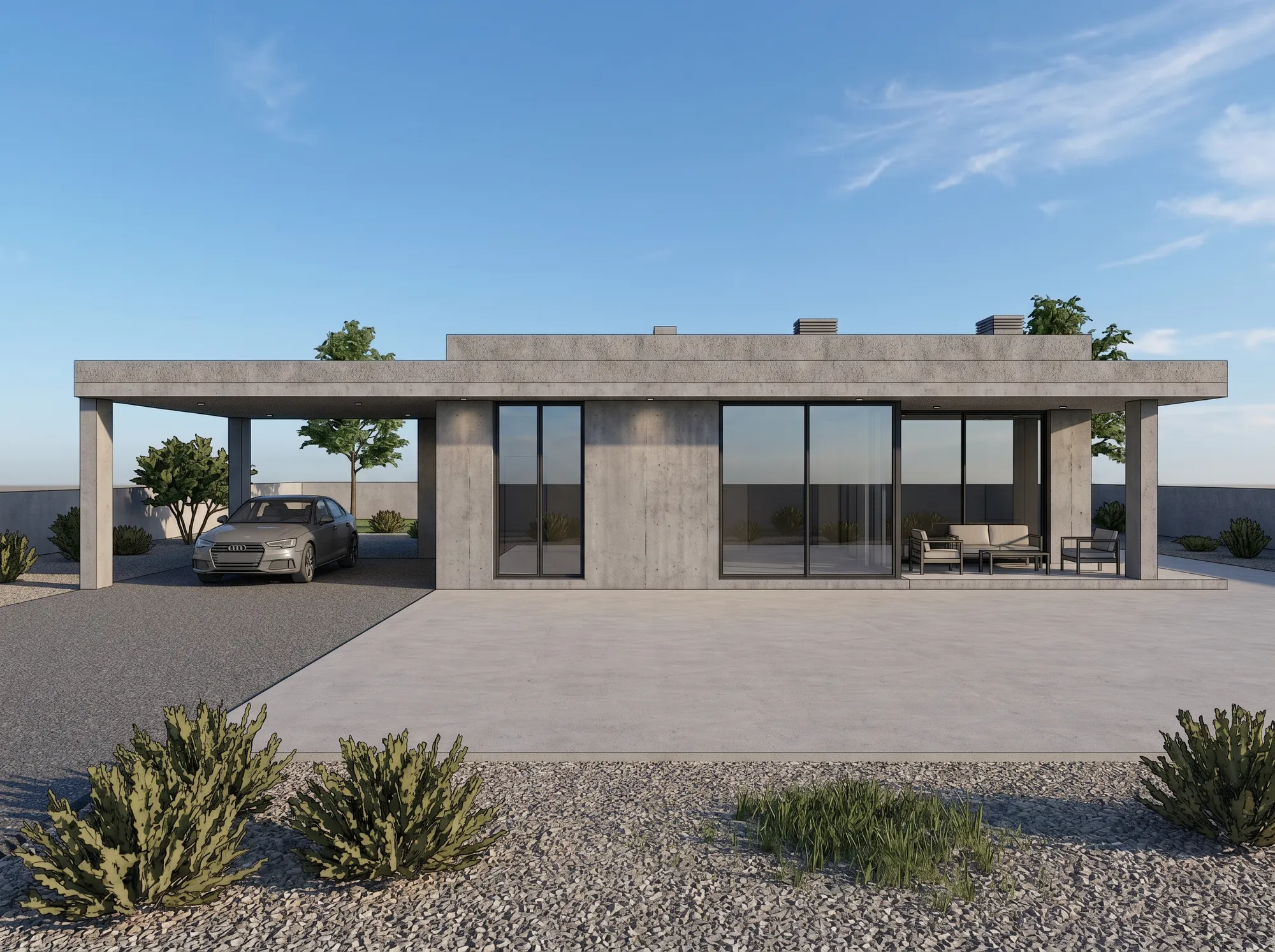
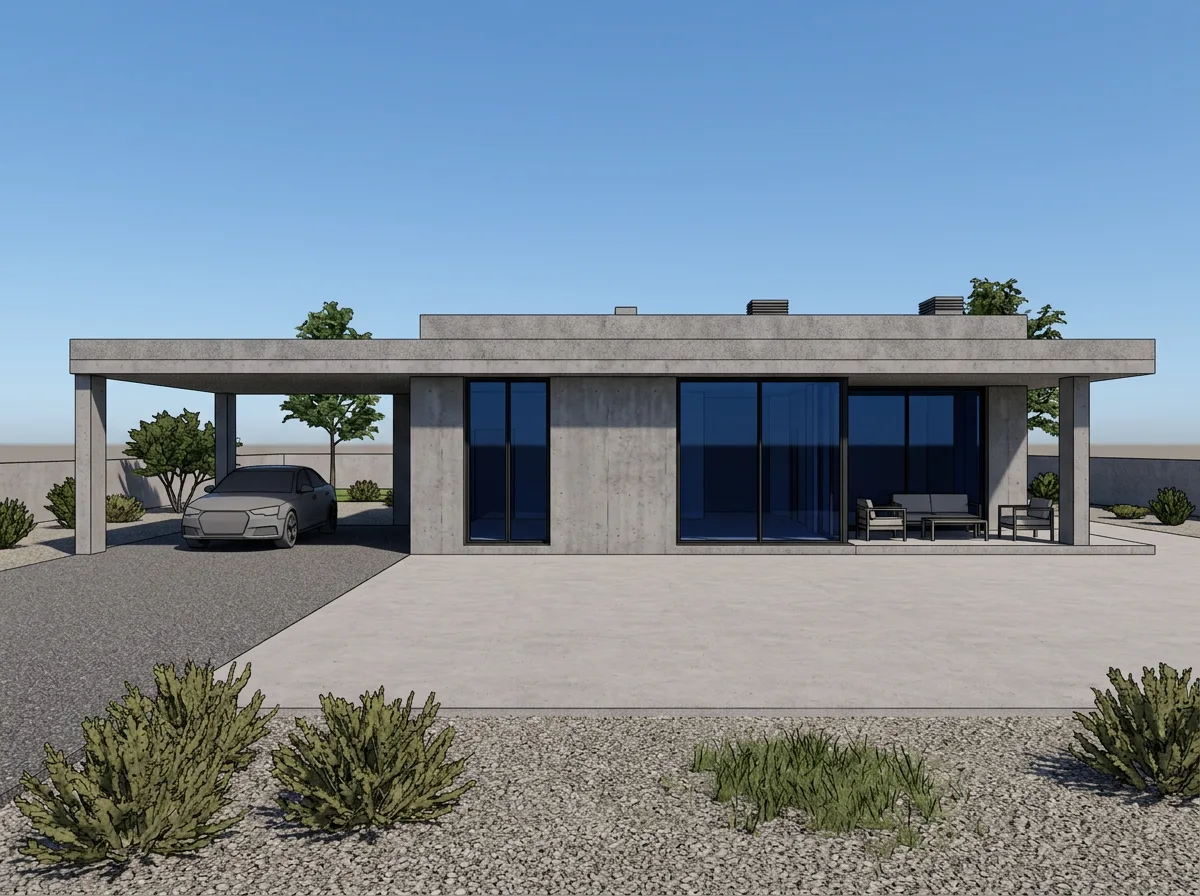
The tool we make, so judge the claim on the image above rather than on us saying it. Airender takes a screenshot or export from SketchUp, Revit, Rhino — or a hand sketch — and returns a photoreal render in about a minute, holding your geometry rather than reimagining it. Fidelity is a dial, not a fixed setting: push it toward faithful for client work where the massing has to match exactly, or toward creative for early concept exploration where you want the AI to take more license with materials and mood. No plugin, no GPU, works from a browser on a laptop.
Best for: anyone who wants a finished image from what they already have — a screenshot — without installing anything or switching CAD tools. Limitation: no native in-app plugin; you export or screenshot first, the same way you would for PromptRender or MoldaSpace below.
Veras
The most BIM-native option here — a Chaos product (Chaos acquired EvolveLAB, Veras's original maker, in 2024) that runs as a plugin directly inside Revit, SketchUp, Rhino, Vectorworks, Archicad, Forma, and AllPlan. Its standout feature is granular control: separate geometry-weight and material-weight sliders let you decide how much the AI can deviate from your model, and same-seed rendering keeps style consistent across multiple views of one project — useful for a deck with several angles that all need to look like the same building. Pricing is credit-based (500/2,000/6,000 credits a month across its three tiers) and sits well above the tools around it — we saw meaningfully different dollar figures quoted for the same tier across sources while researching this, so check Chaos's own pricing page for the current number rather than trusting a number here or anywhere else.
Best for: firms already committed to one of those seven platforms who want AI rendering without leaving it. Limitation: premium pricing and the plugin-per-platform model means it's built for teams inside a BIM workflow, not a quick one-off render from a phone photo of a sketch.
ArchiVinci
Purpose-built for architecture rather than general image generation, with dedicated modes for interior, exterior, floor plan, masterplan, and facade rendering in one tool. The pricing model is unusual — instead of a monthly credit allowance, you buy a time-boxed pass (3 days, 1 month, up to 1 year) with unlimited renders during that window, which changes the economics: cheap if you're heads-down on one project for a month, worse value if you render occasionally across the year.
Best for: a concentrated push — competition deadline, single big project — where unlimited renders in a short window beats a per-credit meter. Limitation: the access-pass model doesn't fit an ongoing, steady rendering habit as cleanly as a monthly credit plan does.
mnml.ai
Built around style variety: 40+ rendering styles and 12+ specialized tools (sketch-to-render, style transfer, 8K upscaling) on top of its own ArchDiffusion engine, importing from SketchUp, Revit, Blender, Lumion, Enscape, and V-Ray screenshots or exports.
Best for: exploring a wide range of material and mood directions fast, especially early in design when you're not sure what look the client wants yet. Limitation: breadth of style options is the selling point, not geometry-precision control — for the tightest hold on massing under a fidelity dial, that's Airender's or Veras's stronger suit.
MoldaSpace
Accepts the widest range of inputs — sketches, floor plans, or 3D model screenshots — and returns a render in about 30 seconds, with a straightforward per-render cost (roughly $0.38/render on the subscription plan) alongside a monthly option.
Best for: infrequent renderers who don't want a recurring subscription they'll forget to cancel. Limitation: the per-render economics work against you once you're rendering daily — a flat monthly generation plan (Airender) or credit plan (ReRender AI) gets cheaper per image at volume.
ReRender AI
Targets architects and studios directly, with a free tier that gives 3 watermarked renders a day — generous for testing before you commit — and a notable student discount on paid plans.
Best for: students and anyone who wants to run a genuinely free trial for more than a day or two before deciding. Limitation: the useful commercial-license tiers (private mode, no watermark, higher resolution) sit above the free plan, same tradeoff as every tool on this list.
PromptRender
The workflow closest to Airender's: screenshot your 3D viewport in any software, upload it, pick interior or exterior and a lighting mode, get a 4K render back in under a minute. Pay-as-you-go pricing at $1/render is unusual in this space and genuinely useful if your rendering need is occasional rather than constant.
Best for: architects who render a handful of images a month and don't want to pay for a subscription they'll barely use. Limitation: at real volume, the $20/mo Pro plan (150 renders, ≈$0.13 each) is close to what monthly-credit competitors charge — the pay-per-render option only wins at low volume.
Midjourney
Not an architecture tool — a general-purpose image generator that every "best AI rendering" list includes because a meaningful share of "ai render generator" searches are really about mood-board and concept imagery, not a specific building. Midjourney v7 handles architectural prompts well and produces genuinely striking images, but it has no BIM or CAD integration and no way to feed it your actual model — you're describing a building in text, not rendering the one you designed.
Best for: very early concept mood boards, before there's a model to be faithful to. Limitation: it does not know your building. Anything you need to match a real design, floor count, or window layout needs a model-aware tool instead.
How much does AI architectural rendering actually cost?
"Free" and "cheap" mean different things once you look past the homepage number. Here's the honest range, per render, once you're past the trial:
The pattern: AI rendering tools cluster in the tens-of-cents range per image, an order of magnitude below outsourcing and without the GPU or license investment a real-time or offline engine needs. See Airender's pricing for the exact generation allowance by tier — every Render, Edit, or Enhance uses one generation at Standard, HD, or Ultra, and cost per generation drops as you move up plans.
How to choose: four questions, before the spec sheet
Every tool above will show you a slick demo image. The spec that actually predicts whether it fits your work is buried further down the pricing page. Answer these four, in order, before you compare feature lists:
Answer those four and the shortlist usually narrows to one or two tools before you've read a single review — which is the point of asking them first.
Which tool fits your workflow?
Not sure yet? See how AI architectural rendering works for the underlying approach, or judge from real results in the before/after gallery.
Free AI rendering: what you actually get
Every tool on this list has some form of "free," and none of them mean the same thing:
If you're evaluating tools before committing budget, the no-card options let you test on your own model first — which matters more than any spec sheet, since geometry fidelity varies by input quality as much as by tool.
Frequently asked questions
What's the difference between an "AI rendering generator" and "AI rendering software"?
In practice, nothing — they're the same search for the same thing, usually phrased differently depending on whether someone thinks of it as a tool (software) or an action (generate a render). Every product in this comparison answers to both terms.
Which AI rendering tool works best with SketchUp or Revit?
For a plugin that runs inside the software itself, Veras covers the most platforms (7, including both). For a browser-based, no-install path from a screenshot or export, Airender, PromptRender, and mnml.ai all accept SketchUp and Revit exports directly — see our own SketchUp and Revit workflows for the details.
Is there a genuinely free AI rendering tool, or do they all require a card eventually?
Several offer real free previews with no card: Airender (3, watermarked, 2K), MoldaSpace (5), and PromptRender (1). ReRender AI's free tier is larger (3/day) but watermarked too. None of the eight is free indefinitely at production quality and volume — free tiers exist to prove the tool works on your model, not to replace a paid plan.
Can I render a 3D model online without installing anything?
Yes — every browser-based tool in this comparison (Airender, PromptRender, MoldaSpace, ReRender AI, mnml.ai, ArchiVinci) works from a screenshot or export uploaded through a web page, with no install and no dedicated GPU required. Only Veras requires an in-app plugin install.
How accurate is AI rendering compared to my actual model?
It depends entirely on whether the tool is "model-aware" (image-to-image, holding your geometry) or prompt-based (text-to-image, inventing freely). Veras, Airender, PromptRender, MoldaSpace, mnml.ai, and ReRender AI all work from an image of your model and are built to preserve massing and window positions — though fidelity still varies by tool and by how far you push any creative/style controls. Midjourney has no concept of "your model" at all. See our full breakdown of where AI rendering is accurate enough — and where it still breaks.
Do I need to know how to render, or write prompts, to use these tools?
No, for the model-aware tools — you upload an image and choose a style or lighting mode in their workspace, no prompt engineering required. Airender puts those choices beside the Studio canvas and keeps each result as a version you can continue, Edit or Enhance. Midjourney is the exception: getting a specific look out of it does take some prompt-writing skill, since it isn't working from your model in the first place.
Is there an open-source or free-forever alternative?
Not among tools built specifically for architectural rendering. The closest free-forever paths are manual: Blender with Cycles (a real, capable renderer, but a steep learning curve and real render times), or your CAD tool's built-in renderer (Revit ships with one; SketchUp does not). Neither is "AI rendering" in the sense this article covers.
Can AI rendering tools handle interior scenes as well as exteriors?
Yes, and several — Airender, ArchiVinci, MoldaSpace — explicitly support both as separate modes, since interior renders depend more on lighting and material realism than massing. See our dedicated interior rendering page if that's your primary use case.
Is a BIM plugin actually better than a browser upload, or just more convenient?
Neither is better in the abstract — it depends on question 1 in the framework above. A plugin removes the export step and can push live updates as your model changes, which is real time saved on a project you're revisiting daily. A browser upload works from any software, including ones with no plugin support at all, and doesn't tie you to a specific CAD platform if your firm switches tools. Choose based on how often you'd use it and how much platform lock-in you're comfortable with, not on which sounds more advanced.
What happens to my model or sketch when I upload it to one of these tools?
That's entirely down to each vendor's terms, and it varies — read them before you upload anything you wouldn't want reused. We can only speak for Airender: your models and sketches are processed solely to produce your renders and are never used to train models. For any other tool on this list, check its current privacy policy directly rather than assuming it matches — data handling is exactly the kind of detail that changes between vendors and over time.